Google Nest Learning Thermostat (4th gen) Review: Start With Compatibility
The fourth-generation Nest adds a larger display, Matter control, and an included room sensor—but HVAC compatibility should decide the purchase.
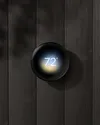
Quick Verdict
The Nest Learning Thermostat (4th gen) is a capable choice for compatible 24V HVAC systems when automated scheduling, room sensing, and Google Home or Matter control matter. It is overbuilt for shoppers who only need basic scheduling.
Editorial assessment based on Google Store technical specifications, compatibility guidance, and Google product documentation. We did not claim installation or long-term testing.
Key Specifications
Source: manufacturer information, as linked in the references below. Published battery life and performance figures are manufacturer claims, not measurements by WorthTrove.
- Display
- 2.7-inch circular LCD, 600 × 600
- Connectivity
- 2.4/5 GHz Wi-Fi, Matter, Google Home
- Sensors
- Motion, temperature, humidity, ambient light
- Power
- HVAC wiring; rechargeable backup battery
- Size
- 3.9 in diameter × 1.1 in deep
- Included
- Nest Temperature Sensor (2nd gen)
Pros and Cons
Strengths
- Works with most 24V heating and cooling systems, subject to compatibility checks
- Includes a second-generation Nest Temperature Sensor
- Matter support broadens control beyond Google Home
- Large 600 × 600 circular display can show information at a glance
Limitations
- Google Home app is required for setup
- Some systems may still require a C wire or Nest Power Connector
- Advanced learning features may be unnecessary for simple schedules
- Compatibility varies by HVAC wiring and accessories
Who it's for
- Owners of compatible 24V HVAC systems
- Homes with a meaningful hot or cold room
- Google Home or Matter-based smart homes
Who should skip it
- Buyers who have not checked their wiring
- Renters without installation permission
- Households wanting a purely offline thermostat
What we considered
We considered HVAC compatibility before display design, then app setup, remote room sensing, and whether schedule learning matches the household routine. An appealing feature cannot make an incompatible heating system suitable.
Price positioning depends on the current seller and package. We do not treat an unverified discount or a commission rate as evidence of value.
Compatibility is the first specification
Google says the thermostat works with most 24V systems, including many gas, electric, oil, forced-air, heat-pump, and radiant setups. “Most” is not the same as all. Multi-stage equipment, humidifiers, ventilation, and unusual wiring make the official compatibility checker essential.
The thermostat is designed to operate without a common wire in many homes, but Google notes that a small share of systems may still need a C wire or Nest Power Connector. That is an installation condition, not a minor feature footnote.
What the upgrade adds
The 2.7-inch circular 600 × 600 display is paired with motion, temperature, humidity, and ambient-light sensing. One second-generation temperature sensor is included, giving the thermostat information from a second room.
Control works through Google Home and Matter-compatible apps and assistants. Setup still requires Google Home, so Matter does not make the product independent of Google's onboarding process.
Our bottom line
This model makes the most sense when a room sensor, automated scheduling, and broad smart-home control solve real comfort problems. Its design is polished, but compatibility and control preferences carry more weight than appearance.
A simpler smart thermostat is the more rational choice when you use a fixed schedule, have a single-zone home without major temperature differences, or prefer fewer app dependencies.
Use Cases
Temperature-sensitive room
The included sensor can let a schedule prioritize a bedroom or office instead of only the hallway thermostat.
Mixed smart-home setup
Matter support allows control from compatible ecosystems, though Google Home remains required for initial setup.
Complex HVAC
The expanded terminals support many staged and accessory configurations, but the official checker should be used first.
Alternatives
| Option | Best for | Main tradeoff |
|---|---|---|
| Google Nest Thermostat | Basic app control and scheduling | Fewer learning and accessory features |
| ecobee Smart Thermostat Premium | Buyers centered on ecobee's sensor ecosystem | Different app, interface, and compatibility workflow |
Frequently Asked Questions
Can I choose it from my current thermostat's appearance?
No. Identify the system and wiring, then use Google's compatibility guidance. Systems with accessories or unfamiliar wiring may need professional assessment.
Is a remote sensor the same as room-by-room control?
No. A temperature sensor supplies information to the thermostat. It does not add separate heating or cooling zones to your HVAC equipment.
How we researched this product
We reviewed the public manufacturer information and documentation linked below, compared the listed capabilities with common buying needs, and identified ownership limits. This is a research-based review; we did not purchase or physically test this product. We update this page when material information changes.
Specifications describe the maker's claims. Suitability and buying advice are our editorial interpretation, not independently measured performance. We have not assigned a score or summarized customer sentiment without a documented basis.
References / Source Links
Specifications and support details can change. Check the manufacturer before purchase.